
Electric circuit games
Ten circuit challenges, from easy to hard. Each one opens a starter circuit in the DCACLab simulator, right in your web browser: find what is wrong, change the circuit and watch the lamps, motor and meters react.
How the challenges work
Pick a challenge and open its circuit. The lab does not check your answer for you: each card says what you should see once you have solved it, so you check it yourself, or your teacher does. Current shows on the wires as you go. None of the challenges needs new parts: everything you need is already on the board.
Try it here runs the circuit on its own page, with no account and no time limit. In the full lab on a computer or tablet, without an account you get one of each part and cannot change settings; a free account gives you about 10 minutes before those limits apply. On a phone there is no limit.
The challenges
-
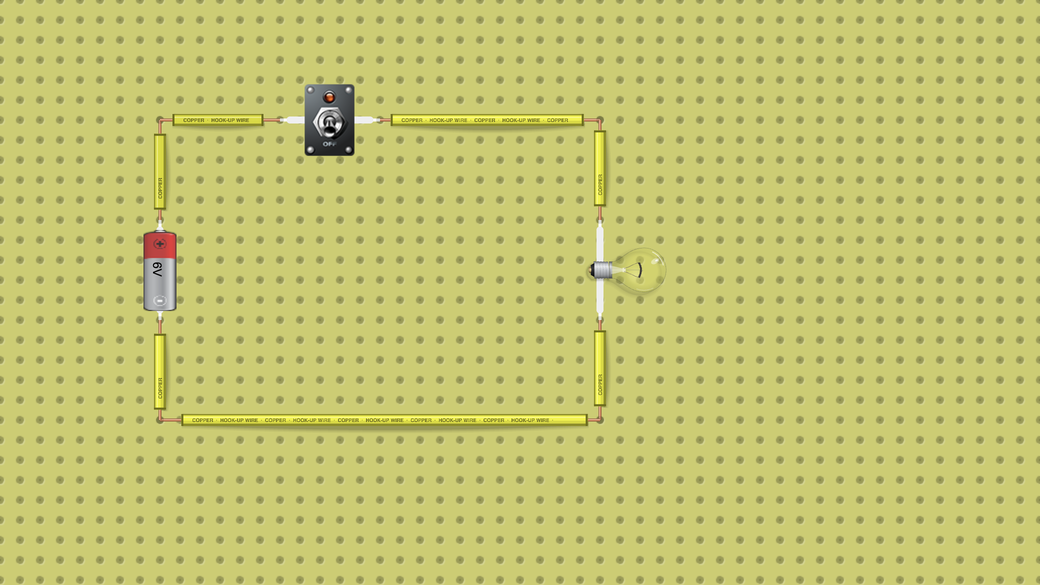
1. Light the bulb
You learn: A closed circuit: current flows only around a complete loop.
Goal: Make the lamp light.
Hint: Something in the loop is open. Click it.
How you know you won: The lamp glows and every wire shows about 500 mA.
On a computer, changing the circuit in the full lab needs a free account. Sign up free
-
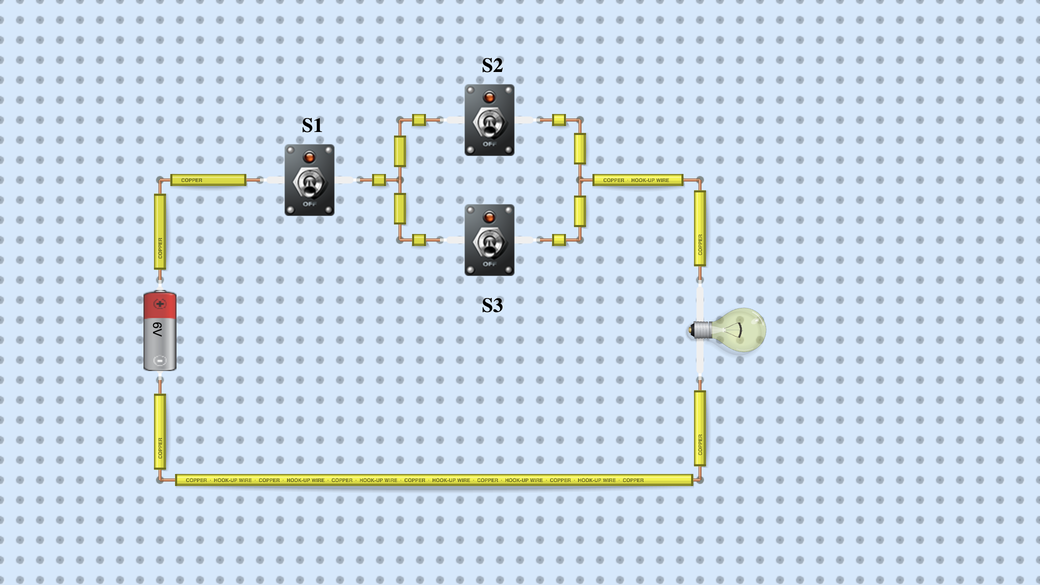
2. Crack the switch code
You learn: Switches in series and in parallel.
Goal: Find every combination of switches S1, S2 and S3 that lights the lamp.
Hint: Try S1 on its own, then S2 and S3 without S1.
How you know you won: You found three combinations: S1 with S2, S1 with S3, and all three. S1 alone, or S2 and S3 without S1, leave the lamp dark. S1 is in series, so it must always be on; S2 and S3 are in parallel, so either one is enough.
On a computer, changing the circuit in the full lab needs a free account. Sign up free
-
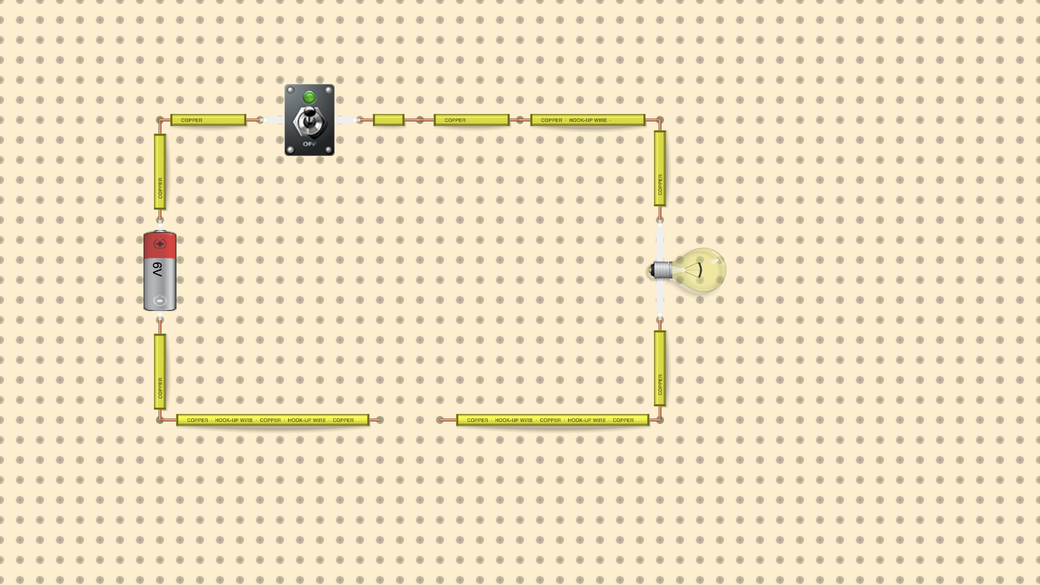
3. Fix the broken circuit
You learn: An open circuit: one gap stops the current everywhere.
Goal: The switch is on, yet the lamp stays dark. Find the fault and fix it.
Hint: Follow the wire all the way round. Drag from one loose wire end to the other to draw a new wire.
How you know you won: The lamp lights and the wires, which showed no current before, now show about 500 mA.
On a computer, changing the circuit in the full lab needs a free account. Sign up free
-
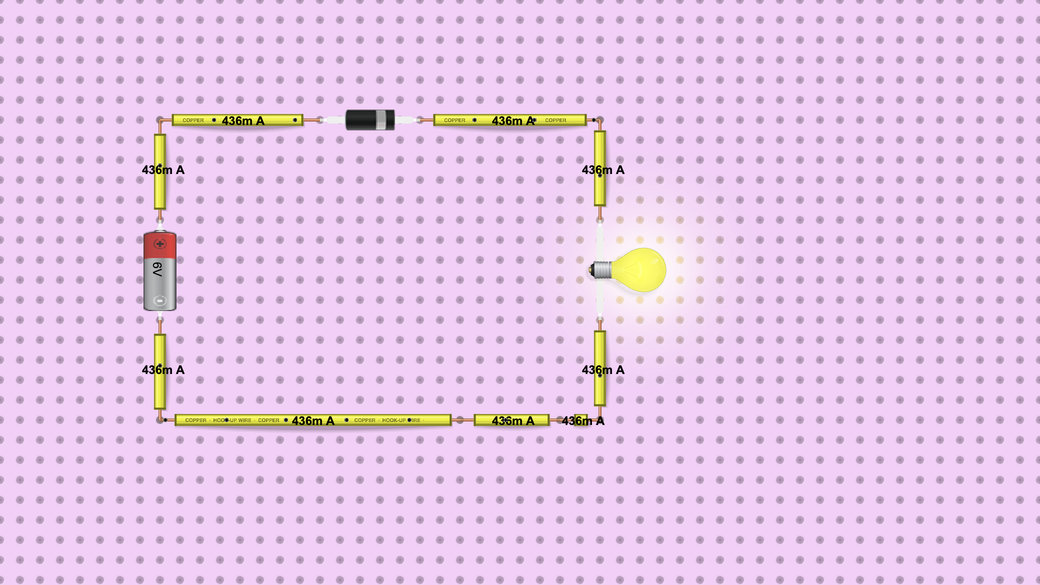
4. Make the diode block the current
You learn: A diode lets current through in one direction only.
Goal: The lamp is on. Stop the current without moving a single wire.
Hint: Click the diode and press F to flip it.
How you know you won: The lamp goes dark and the wires show no current. Flip the diode back and the lamp lights again, at about 440 mA.
On a computer, changing the circuit in the full lab needs a free account. Sign up free
-
5. Make the motor spin the other way
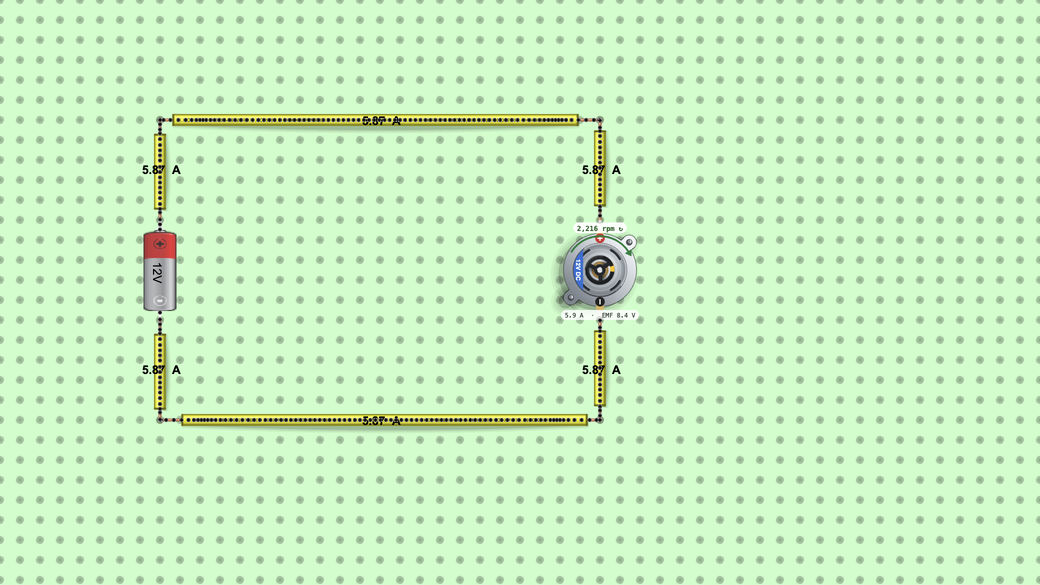
You learn: Reversing the polarity reverses a DC motor.
Goal: The motor spins clockwise. Make it spin anticlockwise.
Hint: Click the battery and press F to flip it, or swap the motor's two wires.
How you know you won: The arrow and the label on the motor turn round: still about 2,200 rpm, but with the anticlockwise arrow instead of the clockwise one.
On a computer, changing the circuit in the full lab needs a free account. Sign up free
-
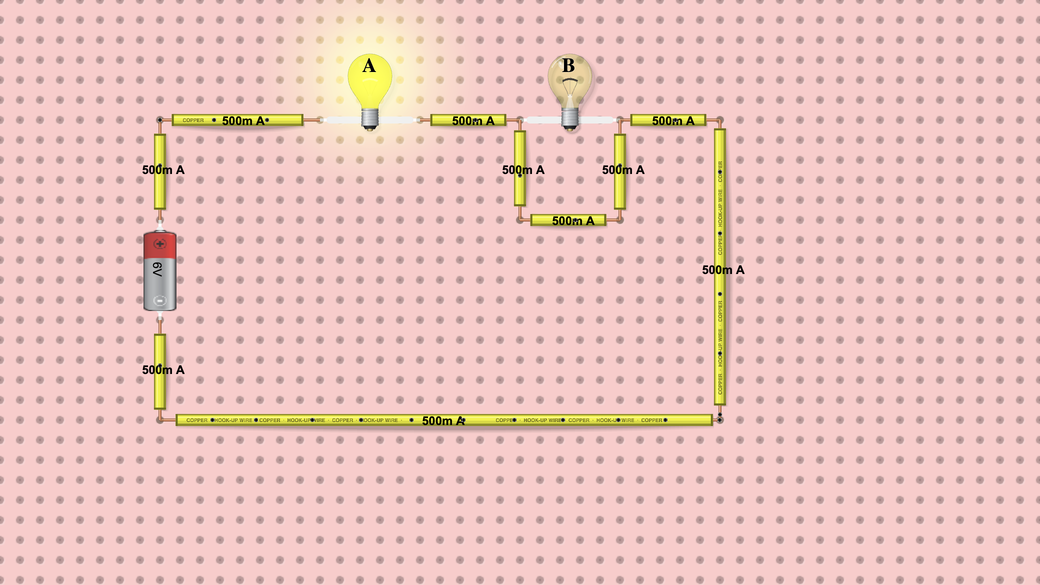
6. Make two bulbs equally bright
You learn: A short circuit: current takes the path with no resistance.
Goal: Lamp A glows but lamp B stays dark. Make both lamps glow the same.
Hint: Look for a wire that does not need to be there. Click it and press D to delete it.
How you know you won: Both lamps glow equally, each with about 250 mA through it and 3 V across it. Lamp A is dimmer than before, because the two lamps now share the 6 V battery.
On a computer, changing the circuit in the full lab needs a free account. Sign up free
-
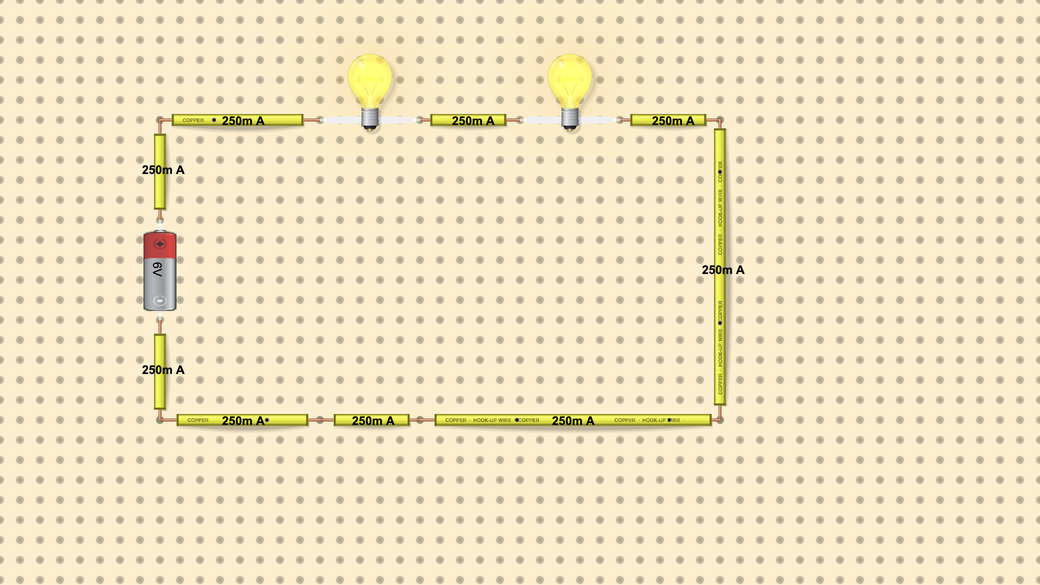
7. Brightest bulbs with one battery
You learn: Series and parallel circuits.
Goal: Two lamps in series glow dimly. Rewire them so both glow brightly from the same battery.
Hint: Give each lamp its own path from one side of the battery to the other.
How you know you won: Both lamps glow brightly, each with about 500 mA instead of 250 mA, and the wire next to the battery now carries about 1 A.
On a computer, changing the circuit in the full lab needs a free account. Sign up free
-
8. Protect the LED
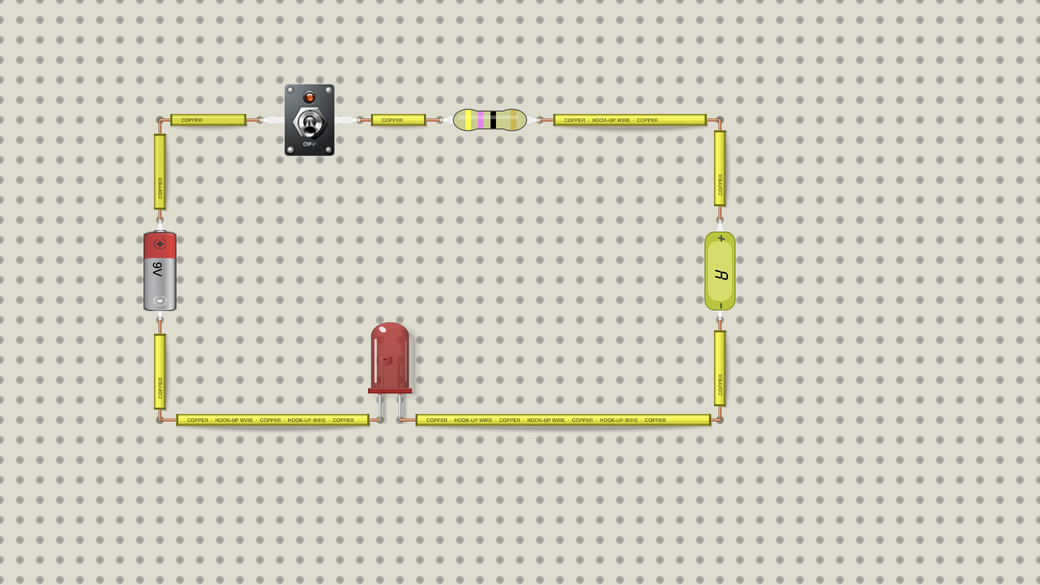
You learn: A resistor limits the current through an LED.
Goal: This red LED is rated for 20 mA. Choose a resistor so it lights without burning out, then close the switch.
Hint: Click the resistor, then its gear icon, and change the colour bands. With 47 Ω the LED burns out within seconds; if it does, open the starter circuit again.
How you know you won: The LED glows and stays lit, and the A meter reads under 20 mA. With 470 Ω (yellow, violet, brown) it reads about 15.8 mA.
On a computer, changing the circuit in the full lab needs a free account. Sign up free
-
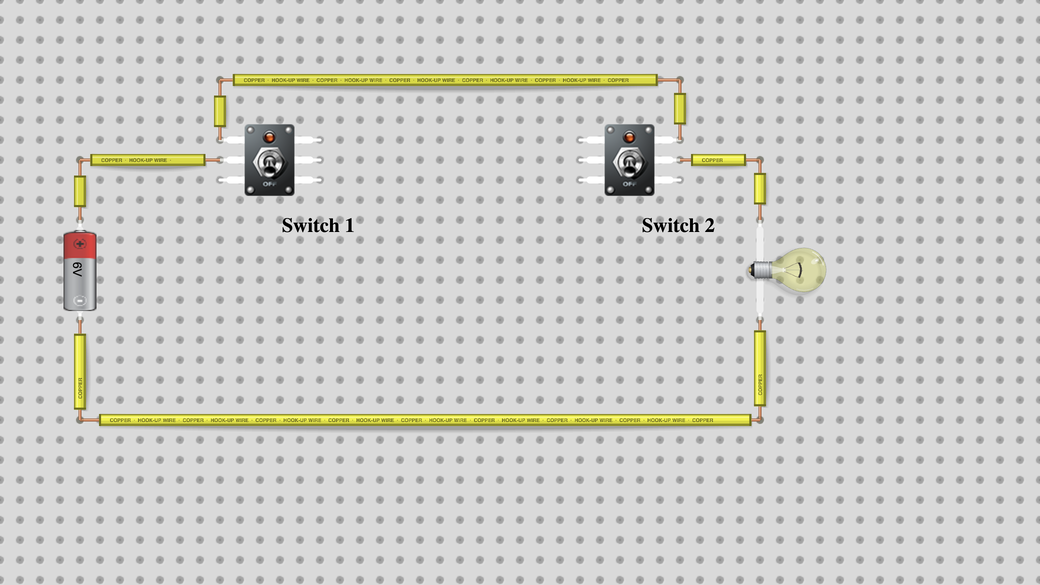
9. Switch a lamp from two places
You learn: Two-way switching, as on a staircase.
Goal: Make each switch turn the lamp on and off, whatever the other switch is set to.
Hint: Each switch has two outputs, and two wires must run between the switches. One of them is missing.
How you know you won: Every click on either switch changes the lamp: on, off, on, off, in all four positions.
On a computer, changing the circuit in the full lab needs a free account. Sign up free
-
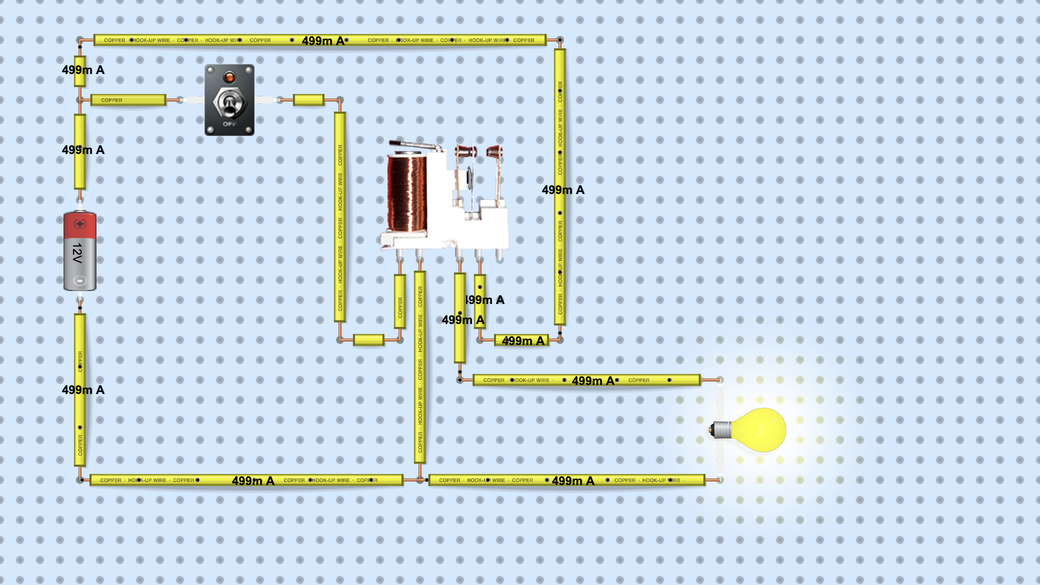
10. Turn on a lamp with a relay
You learn: A relay: a small current in a coil switches a bigger one.
Goal: The lamp is on while the switch is off. Make the lamp light only when the switch is on.
Hint: The lamp is wired to the relay's resting contact, the left one of its three contact pins. Move that wire to the right one.
How you know you won: With the switch off the lamp is dark. Switch it on: the relay pulls in, the coil draws about 150 mA and the lamp lights at about 500 mA.
On a computer, changing the circuit in the full lab needs a free account. Sign up free
-
Bonus: Build it on the breadboard
You learn: Turning a circuit diagram into a real layout.
Goal: Rebuild one of the circuits above on the lab's breadboard.
How you know you won: Your breadboard circuit behaves just like the one on the board: same lamps lit, same current on the wires.
On a computer, changing the circuit in the full lab needs a free account. Sign up free
For teachers
The challenges fit a short starter or a whole lesson: give each pair of students a challenge and ask them to explain why their fix works. You can paste a challenge's Try it here link into Google Classroom or any class page. With a DCACLab classroom you can share a join link, assign a circuit with a due date and grade what students hand in. Schools can run their classes under an institutional license.
For longer lessons with worksheets and answer keys, see the lab activities:
- Ohm's law lab: measure V and I and find R
- Series and parallel circuits: compare current and voltage
- Diode lab: forward bias, reverse bias and the I-V curve
- Half-wave rectifier lab: from AC to DC with a filter capacitor
- LED and resistor lab: choose a current-limiting resistor
- DC motor experiment: speed, current and back-EMF
- Car relay circuit: how an automotive relay switches a motor
Frequently asked questions
Are these circuit games free?
Yes. Try it here runs each circuit on its own page, free, with no account and no time limit. The full lab is free to try, with limits: without an account, on a computer or tablet, you get one of each part and cannot change settings. A free account gives you about 10 minutes before those limits apply. On a phone there is no limit. Saving a circuit needs a plan.
Do they work on phones and Chromebooks?
Yes. Everything runs in the web browser, so there is nothing to install. A Chromebook is a computer to the lab, so the full lab limits above apply there; the Try it here pages have none. The circuits are laid out for a computer screen, so they are easier to use on a larger screen.
What age are they for?
They are written for middle and high school students and anyone starting out in electronics. The first challenges need no knowledge beyond a battery and a bulb; the LED, two-way switch and relay challenges suit older students.
Do students need an account?
Not to play: Try it here works without signing in. To change a circuit in the full lab on a computer, a student needs a free account. For class work, a teacher can create a DCACLab classroom and students join it through its join link.